Close Conversation
The Close Conversation node (the End node of the flow) explicitly terminates a flow. By default it performs no action — it simply marks a deliberate stopping point. Its only setting, for web flows, decides whether the web conversation also ends there for good (see Restarting the Web Conversation).
Most flows don't use an End node. When any node has no outgoing connection, the flow terminates automatically. The End node exists to make that termination visible and intentional on the canvas.
When to Use It
Use the End node when you want to distinguish "this flow ends here" from "I forgot to connect something." It documents intent. In flows with multiple branches, explicit End nodes help collaborators understand which paths are complete endings versus paths that should continue elsewhere.
After a goodbye message. When your flow sends a final message and you want to make clear that nothing else should happen.
After handing off to a human agent. The Human Takeover node transfers control, and an End node on that branch signals the bot's job is done.
On error branches where recovery isn't possible. When something fails and the conversation should simply stop.
On the Canvas
The node has a single input handle and no output handle — nothing can follow it because it's a terminal point. Connect it to whichever node should be the last step in a branch.
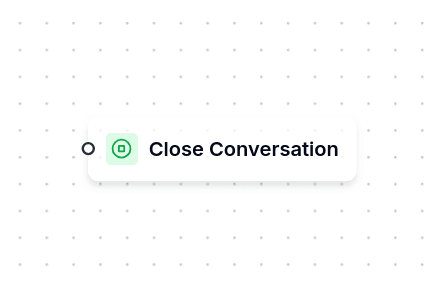
What Happens After
Reaching End is a normal outcome, not a failure. The engine writes an info notice on the conversation ("Flow terminated", reason end_node_reached), clears the current node, cancels the inactivity timeout and points the conversation at the channel's default bot — the flow configured on the Channel Connector as the default responder.
The next message the customer sends starts that default bot from its Start node, which can greet, route by global keywords or jump into another flow. If the conversation had been left without any flow, the restart is recorded with an info notice that quotes why the previous flow ended.
If the connector has no default bot, the conversation has nowhere to go: the customer's next message is ignored and an error notice tells the agent to configure a default bot on the connector or reassign the conversation. On the email channel a conversation without a flow is the human inbox by design, so the only case that leaves a notice there is a conversation pointing at a deleted or inactive flow.
Restarting the Web Conversation
Open the node to find Restart the web conversation on close, off by default. It only applies to the web channel.
With it on, the conversation ends at this node instead of waiting for the customer's next message. The portal says the conversation has ended ("Esta conversación terminó." in Spanish) and shows a Start over button below it, and the next visit starts a new conversation, without the variables or the messages of this one. Start over button text (optional) changes what that button says; left empty, the portal shows Start over (Empezar de nuevo in Spanish). On the canvas, the node shows a badge that reads Restarts the web conversation on close.
The typical case is a customer who can do the same thing more than once. Somebody signs a promissory note for an order and, a week later, comes back for a second one. Without the toggle, the portal would bring them back to the conversation that already finished, with the previous order's data still in the variables. With it, the second order starts clean.
With the toggle off, nothing changes: the conversation goes back to the connector's default bot as described above, and a returning visitor lands in the same conversation, as long as the flow's Remember the conversation when the visitor returns setting is on (see Customer Portal).
WhatsApp is not affected. On WhatsApp there is only one conversation per number, and the node behaves as it always has.
Ending Without an End Node
A node whose output is left unconnected ends the flow in exactly the same way, with the same info notice naming the node type that had no next step. The difference is what the publish check says about it: an unconnected plain output (a Message, a Set Variable) is accepted silently; an unconnected option, keyword, route or response handler blocks publishing; an unconnected Error handle only warns, because falling to a human agent is a valid choice.
Nodes That Handle Their Own Routing
Some nodes manage their own branching and won't terminate when left unconnected: Conditional, Formula, Interactive Options, Jump To, Login, Logout, HTTP Request, and Workflow Execute nodes all route based on their results. For these, an explicit End node on branches that should terminate makes the design clearer.