Login
Login authenticates returning customers by matching an identity value to an existing borrower record. The customer types their ID — cedula, RUC, or whatever identifier the tenant uses — the system looks it up, and if found, links the conversation to that borrower. From that point forward, subsequent nodes can read and write to this customer's data.
The identity can also come from a flow variable instead of being asked, either as an identity value to look up or directly as the customer ID that an earlier step already resolved. See Identity Source.
This is for customers who already exist. New customers need Create Borrower first — Login is the "welcome back" path.
The Typical Pattern
Most flows start with a Login attempt. If it succeeds, the customer continues with their existing record. If it fails — meaning the ID doesn't match anyone — the flow branches to create a new account.
The Login node handles retry logic internally. If the customer mistypes their ID, they get an error message and can try again — no need to build retry loops in the flow. Only after exhausting all attempts does the node route to the failure path.
When to Use It
Use Login for returning customers — collections, renewals, account inquiries, support requests. Use it before sensitive operations like showing account details or processing payments. Use it when you need session management to prevent duplicate concurrent conversations.
Don't use Login for new customer onboarding (use Create Borrower), anonymous interactions that don't need authentication, or when you just need to capture an ID without verifying it against existing records (use Ask Question with validation instead).
Configuration
| Option | Description |
|---|---|
| Identity Source | Ask the user (default) or From a variable |
| Variable kind | With From a variable: The variable carries an identity value or The variable carries the customer ID |
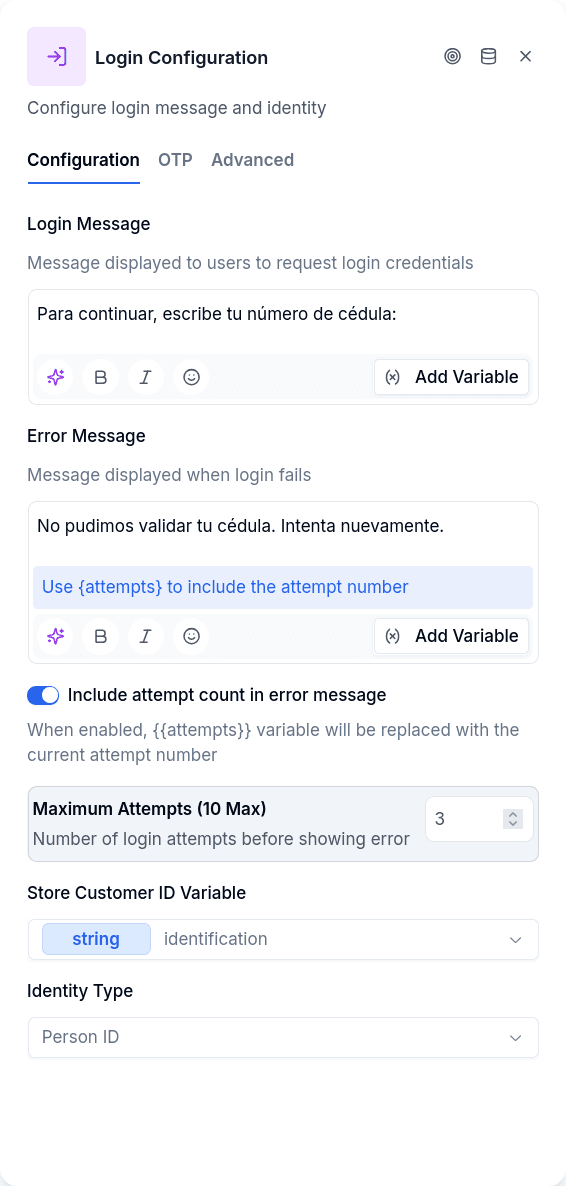
| Message | Prompt asking the customer for their ID. Not used when the identity comes from a variable |
| Error Message | Shown when credentials don't match |
| Identity Type | Which identity to look up (person_id, tax_id, etc.). Not needed when the variable carries the customer ID |
| Max Attempts | Wrong entries before routing to failed handle (default: 3) |
| Include Attempts in Error | Show remaining tries — use {{attempts}} in the error message |
| Store Customer ID Variable | Where to store the authenticated borrower's ID |
| Store Login Value | Optionally stores the value the person logged in with, for later reuse |
The identity type determines what kind of ID to look up — typically person_id for cedula (national ID), tax_id for RUC (tax identification), or similar keys from the tenant's data model. The system searches for a borrower with an identity record matching that key and the value the customer enters.
Identity Source
Ask the user is the classic behavior: the node sends the Message, waits for the answer and looks it up under the Identity Type.
From a variable never asks. The node reads the selected flow variable silently and goes straight to Success or Failed, which is why the Message is disabled in this mode. There are two kinds of variable:
- The variable carries an identity value — the value is looked up under the selected Identity Type, exactly as if the customer had typed it. Useful to re-authenticate with a value a previous login or an earlier question already saved.
- The variable carries the customer ID — no identity lookup at all. The conversation is bound straight to that customer, and from there on every node that files data (files, consent, addresses) hangs off them. Use it when an earlier step already resolved the customer, for example an HTTP Request that turned an opaque token from the portal URL into a customer ID. An ID that does not exist in the tenant, or an empty variable, exits through Failed with no exception — the flow keeps a configurable exit.
Identity is decided here, and nowhere else. No other node changes who the conversation is: the nodes that can target another customer through a variable (Customer Update, Create Entity, Goal, deal, relationship and read authorization) write or read that person's records while the conversation stays bound to the customer Login resolved. Deciding it once in Login means there is exactly one place to secure.
The trust boundary moved, it did not disappear. With the customer-ID kind, the identifier in the variable is a bearer credential: whoever holds it is that customer for the conversation. That only holds up while the identifier is unguessable and short-lived. A sequential code, a point-of-sale number or anything derivable from the customer is not good enough — issue a single-use token instead of reusing a business ID.
What Gets Saved
If Store Login Value is set, the node saves the value the person typed (or the variable's value) before looking anyone up, so the Failed branch can still say which ID was not found. Store Customer ID Variable is filled only on success.
When Several Customers Share the Same Value
An identity value is not always unique in a tenant. The same cédula can be loaded on a real customer and on a test customer someone created to try a flow. When several customers match the value the customer typed, Login picks one this way:
- A real customer wins over a test one. The node takes the first customer that is not marked as a test customer, so a document loaded on a test record cannot take over the real person's conversation.
- If only test customers match, a test one is used. That is what lets you try a flow end to end with test data.
- A single match works as always.
Whether a customer is a test customer is read from the customer record, not from the identity. Among several real customers with the same value, the first one returned is used; that order is not something the flow chooses, so the fix for real duplicates is to clean up the data.
Create Borrower uses the same lookup when it searches for an existing customer before creating one. When it finds several, it leaves a warning notice saying how many customers share the value and that the conversation continued with one of them, and the notice now adds how many test customers were skipped because there was a real one.
Adding OTP Verification
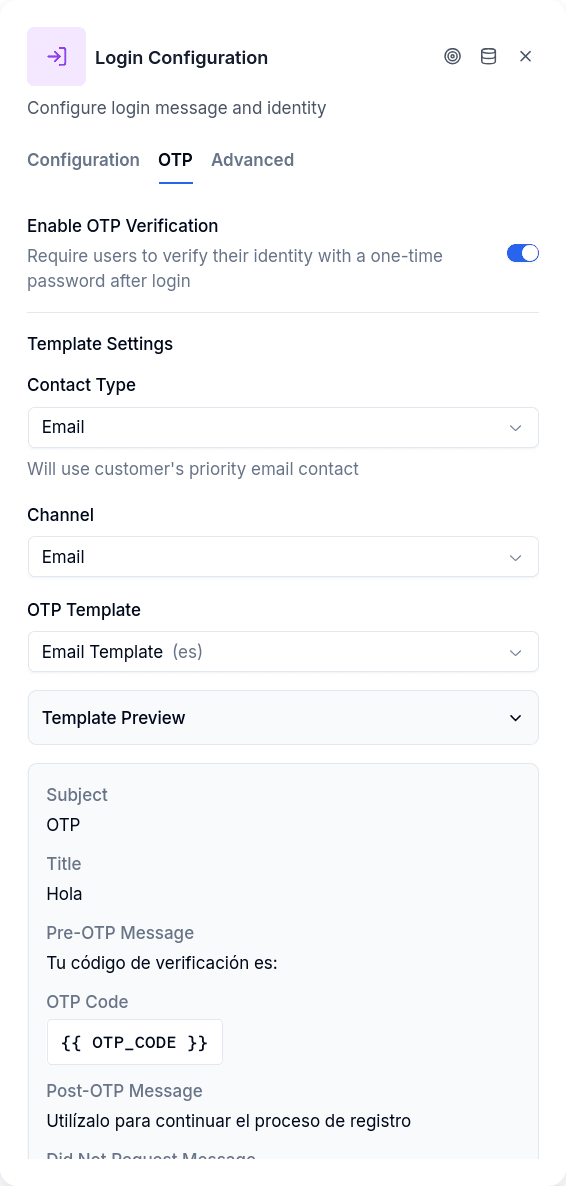
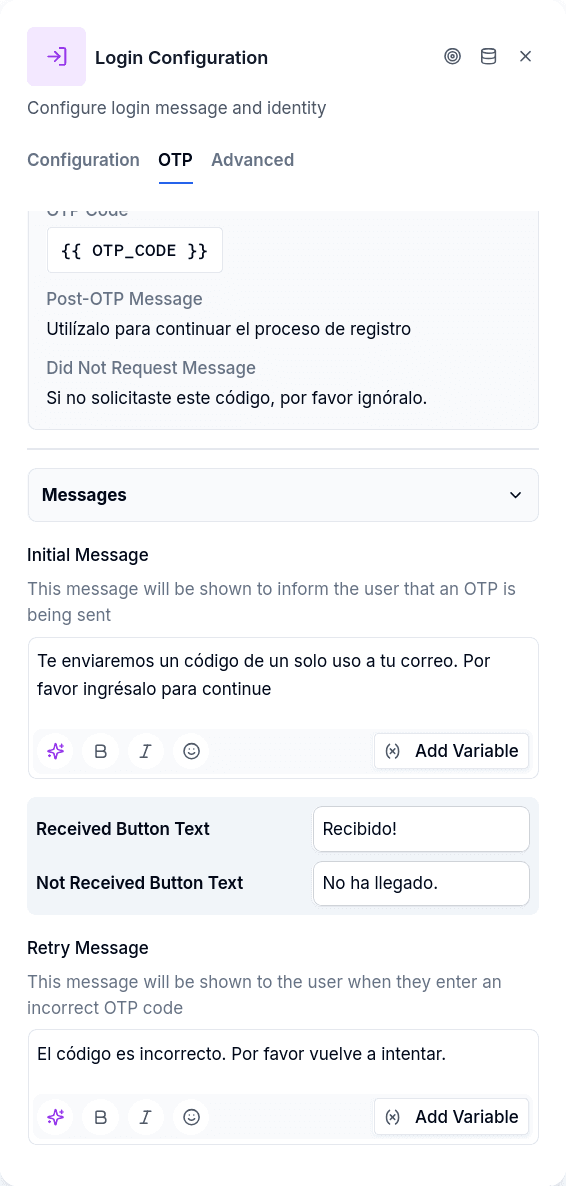
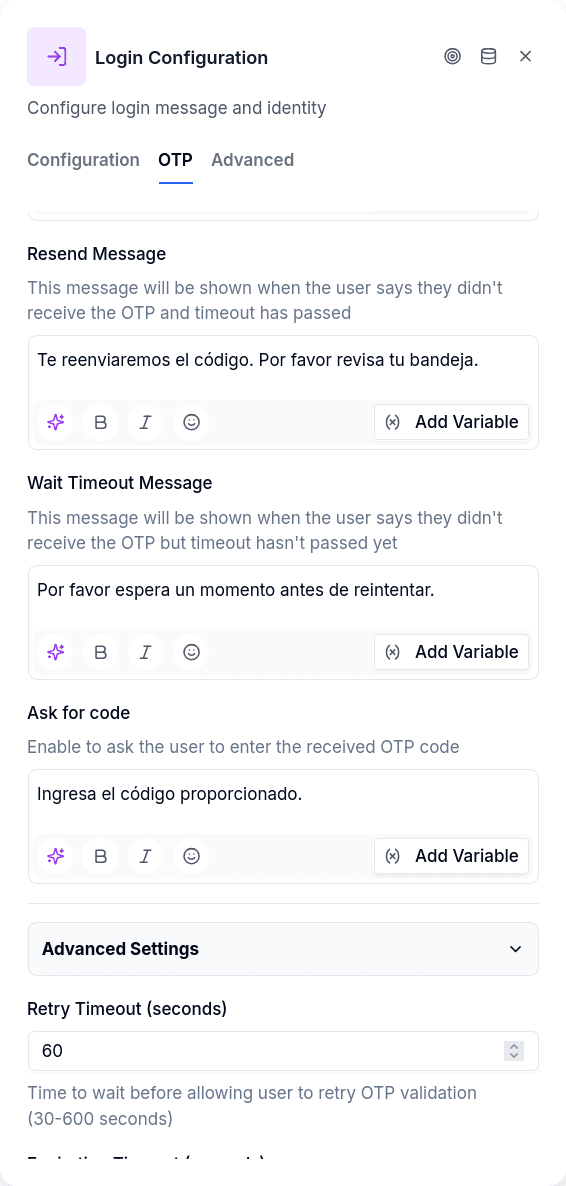
For sensitive operations, you may want to verify the customer's identity beyond just knowing their ID number. Enable Require OTP in the OTP tab, and after a successful credential match, the node sends a one-time code before granting access. The OTP configuration works identically to the standalone OTP Verification node — same contact source options, same delivery channels, same retry and timeout settings. The difference is context: Login's OTP confirms the person entering the ID actually controls the associated phone or email, adding a security layer to authentication.
When OTP is enabled, the success handle only fires after both the credential match and the code verification pass. Failed OTP attempts follow the same max-attempts logic, eventually routing to the failed handle.
Session Control
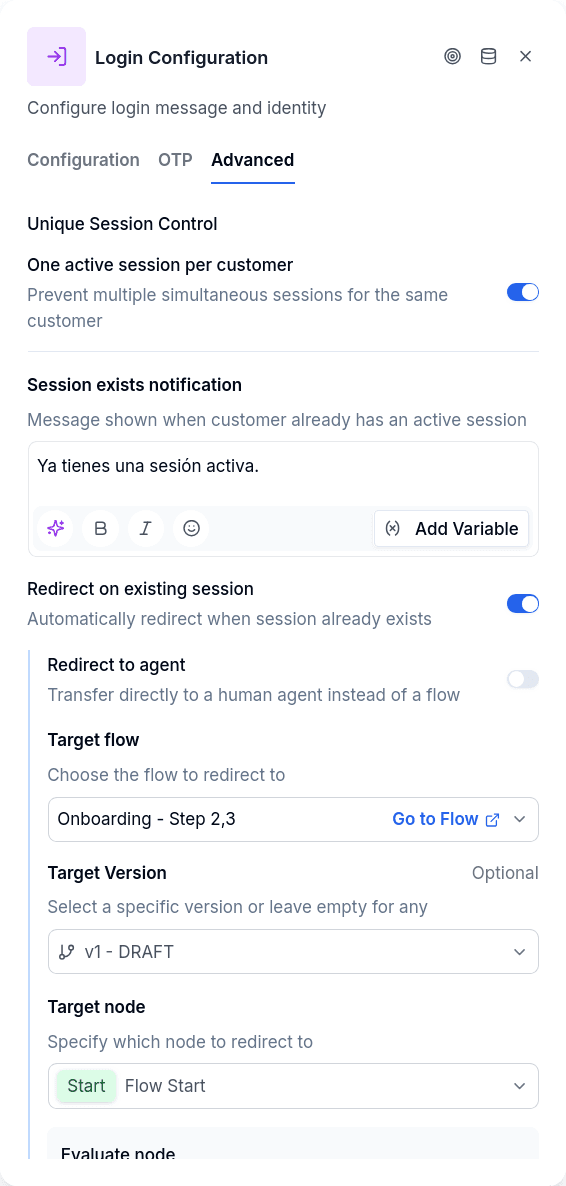
The Advanced tab offers controls for managing concurrent sessions. When unique session per borrower is enabled, the system checks whether this borrower already has an active conversation elsewhere. If they do, you can show a message explaining the situation and optionally redirect them — target a specific flow and node (like Jump To), or hand off to a human agent. This prevents scenarios where a customer starts a new conversation while another is mid-process, useful when flows modify data and shouldn't run in parallel.
Output Handles
| Handle | When |
|---|---|
| Success | Credentials valid (and OTP passed, if enabled) |
| Failed | Max attempts reached without valid credentials; with a customer-ID variable, the ID was empty or not found in the tenant |
| Error | System errors: missing configuration, gateway failure |
Errors are never sent to the customer as text. A misconfigured node or a gateway failure leaves a notice on the conversation (visible in the support chat and in Flow notices) and the flow continues through the Error handle, so the operator sees the cause and the customer never reads an internal message.
Publish Gate
- From a variable with no variable selected blocks publishing.
- The Identity Type is required except when the variable carries the customer ID.
- The Message is required except when the identity comes from a variable.
Channels
Login is not available on the email channel: the editor does not offer it in email flows. If an email conversation still reaches one, the engine leaves the warning notice "Unsupported node type for email" and continues through the error edge.
Prerequisites
The customer must already have a borrower record with an identity of the type being checked — if looking up person_id, they need an identity record with that key. When the variable carries the customer ID, the record only has to exist in the tenant. For OTP-enabled logins, the borrower also needs a Point of Contact (POC) record matching the configured contact type (phone POC for SMS or WhatsApp delivery, email POC for email delivery).