SAT/SRI Password
These nodes collect tax portal credentials from customers — the login information they use to access their country's tax authority website. The system sends a secure form, validates the credentials against the tax authority, and stores them for later use in tax data extraction workflows.
| Node | Country | Tax Authority | Tax ID Type |
|---|---|---|---|
| SAT Password | Mexico | SAT (Servicio de Administración Tributaria) | RFC |
| SRI Password | Ecuador | SRI (Servicio de Rentas Internas) | RUC |
Configuration
| Option | Description |
|---|---|
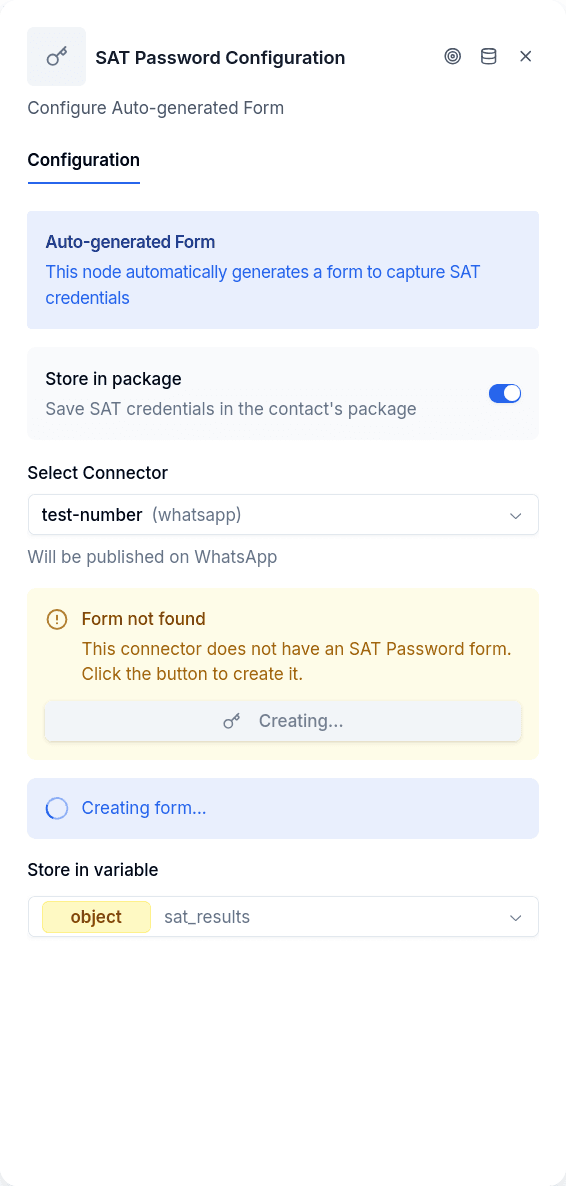
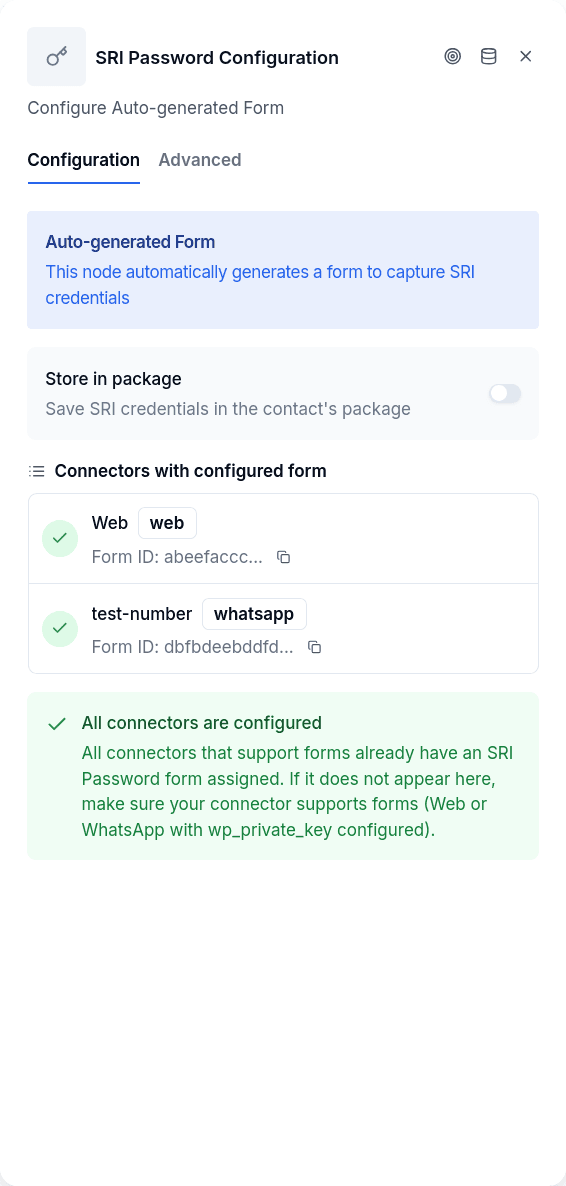
configuredConnectors | Which connectors have the form set up (e.g., whatsapp-main, web-portal) |
storeInPackage | Save validation result to the Package entity for audit purposes |
selectedVariable | Variable to store the credential ID after validation (SAT only) |
testMode | Skip the actual API call and return a mock success (SRI only) |
triggerExtraction | Start the tax-data extraction automatically after the credential is validated |
Each WhatsApp or Web connector needs its own form instance — use the node's setup UI to create forms for connectors that don't have one yet.
The Form
The form presents two login options: standard credentials (tax ID and password) or additional user credentials (for accountants or authorized representatives accessing a principal's account). Form fields are masked for security, and credentials are cleared from conversation data after processing.
WhatsApp connectors require the wp_private_key secret to publish WhatsApp Flows forms.
Output Handles
| Handle | When |
|---|---|
| Success | Credentials validated by the tax authority |
| Error | Invalid credentials, timeout, missing form, or integration not configured |
Things to Know
SAT validates in two steps. The system first registers the credentials, then probes to confirm they work. This probe can take up to 300 seconds if SAT is slow to respond.
SRI validates immediately. A single API call returns success or failure, including specific error codes like INVALID_CREDENTIALS or NOT_ENOUGH_PERMISSIONS.
Forms must be created per connector. Before using the node, open its configuration and create a form for each connector that will run this flow. Unconfigured connectors won't be able to display the form.
The integration must be configured at the tenant level. These nodes require SAT WS or SRI WS integration setup — without it, the node routes to error even with valid credentials.
Once credentials are validated, use Workflow Execute to trigger tax data extraction.
For Argentina, ARCA Conecta asks for the CUIT and Clave Fiscal through the same kind of form, but stores them as the customer's own credential for AltData sources instead of handing them to a tax integration.