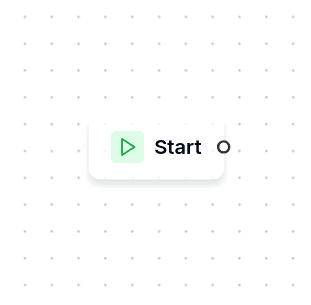
Start
The Start node marks where every flow begins. When a conversation is handed to a bot, execution begins here and immediately advances to the first connected node. It performs no action and has no configuration — it simply exists to anchor the flow's entry point.
Every flow has exactly one Start node, and it cannot be deleted.
When Flows Begin
A flow starts executing when a conversation is handed to a bot. This happens in several situations:
- First contact. A customer messages a channel for the first time and the connector routes the conversation to its default bot.
- Global keyword. The customer types a global keyword that triggers a specific flow.
- Jump. Another flow redirects here through a Jump To node. With a target node set, Start is skipped and the conversation lands directly on that node.
- Campaign. A campaign positions each recipient's conversation on the campaign's target flow. The customer's reply enters that flow at Start, and the conversation remembers the campaign flow so a late reply still reaches it after the inactivity timeout has reset the conversation.
- Restart in the default bot. After a flow ends — an End node, a node with no next step, an inactivity timeout, a handoff that came back — the customer's next message starts the connector's default bot. The same happens when the flow the conversation was in has been deleted or unpublished: the conversation is moved to the default bot and a notice names the old flow and the new one. Without a default bot the message is ignored and an error notice asks for one to be configured.
In all cases, the system sets the conversation's current position to the Start node, which immediately advances to whatever node is connected to it.
On the Canvas
The Start node has a single output handle and no input handle — nothing can point to it because it's always the beginning. You connect it to the first meaningful node in your flow: typically a Message that greets the customer, or a Conditional that routes based on context.
Built-in Variables
Some variables exist from the very first node without being declared or set by anything in the flow. Use them as {{name}} in any text:
| Name | Value |
|---|---|
name | The customer's profile name, when the channel provides it |
phone | The customer's phone number, when the channel provides it |
borrower_id | The customer's identifier, once the conversation has one |
now | Current date and time |
today | Current date |
name, phone and borrower_id are available everywhere. now and today are filled for the nodes that send without waiting for an answer — Message, Interactive Options, Send File and the other action nodes. Input nodes render their prompt with the first three only. The variables panel refuses these names when you try to declare a variable of your own; see Variables.
A Note on Flow Design
The Start node is not where you put greeting logic or initialization steps. It's purely structural: a marker that tells the system "begin here." Any welcome message, authentication check, or context setup belongs in the nodes that follow it.