Logout
Logout de-authenticates the conversation by removing the borrower association. It's the inverse of Login — where Login links a conversation to a customer record, Logout severs that link.
This is a silent operation. No message is sent, no user interaction required. The node executes, clears the session, and advances to the next node.
Configuration
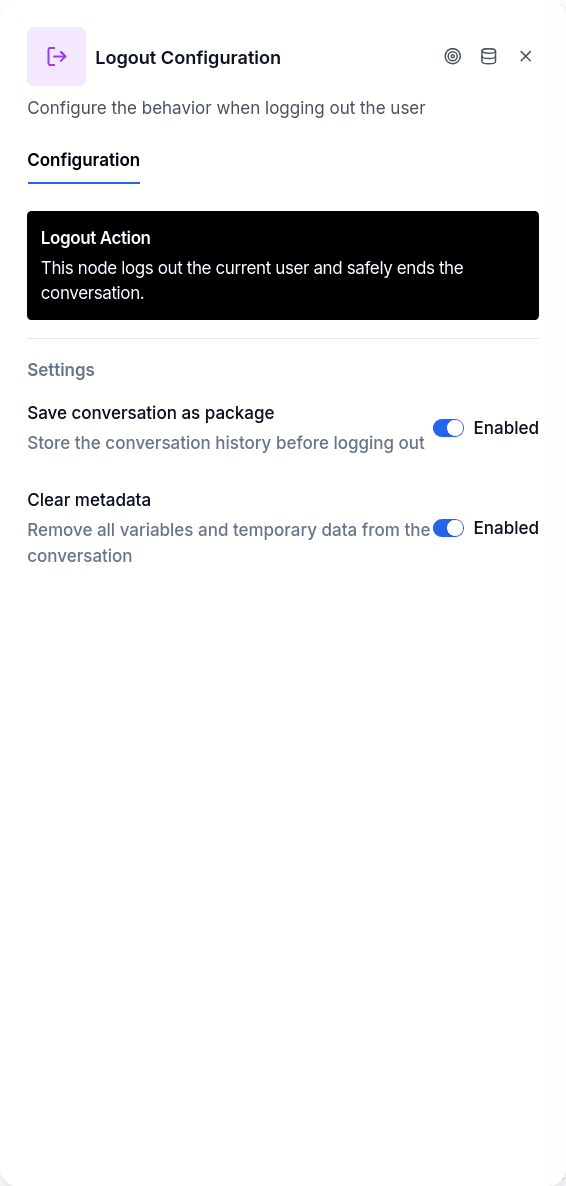
Store in Package archives the conversation before clearing it. The system creates a Package record containing the borrower who was logged out, the conversation history, and all flow variables. This provides an audit trail for reviewing what happened in the previous session.
Clear Metadata removes all flow variables, not just the borrower association. Enable this when subsequent nodes should start with a completely clean slate.
When to Use It
Place Logout before Login when the conversation may already carry a borrower association that shouldn't persist — shared devices, testing scenarios, troubleshooting, or flows where users might need to switch accounts. The pattern is Logout followed by Login, ensuring authentication starts fresh.
Don't use Logout as a way to "end" a session. The End node handles flow termination. Logout is specifically for clearing authentication state.
Output Handles
| Handle | When |
|---|---|
| Continue | Always — single output that advances to the next node |
The node is safe to call even when no one is logged in. If there's no borrower association to clear, it simply skips and continues.