Ask Date
The Ask Date node collects a date from the customer and stores it in a variable. It handles the messiness of date input gracefully — customers can type dates in various formats or use natural language like "today" or "mañana," and the node will parse, validate, and normalize everything into a consistent format for your flow.
When to Use It
Date collection comes up often: birth dates for identity verification, document expedition or expiration dates, appointment scheduling, historical events. Any time you need a customer to provide a date, this node handles the complexity of parsing their input and optionally enforcing that it falls within a valid range.
The key advantage over a plain text question is the built-in parsing and validation. The customer doesn't need to know your internal date format — they can type what feels natural, and the node figures it out.
The node is available on the WhatsApp and web channels. Email flows do not offer it in the editor.
How Dates Are Parsed
The node understands common date words in both English and Spanish. Customers can type "today" or "hoy," "tomorrow" or "mañana," "yesterday" or "ayer," and the node will calculate the correct date at runtime. These are case-insensitive, so "HOY," "Hoy," and "hoy" all work.
For explicit dates, the parser tries several common formats in sequence: day/month/year with slashes (27/09/2019), ISO format with dashes (2019-09-27), day-month-year with dashes (27-09-2019), and the dot notation common in some European countries (27.09.2019). The first format that successfully parses wins.
Regardless of how the customer entered the date, it gets stored in ISO format: YYYY-MM-DD. A customer typing "27/09/2019" will produce the stored value "2019-09-27". This normalization means downstream nodes can always rely on a consistent format.
Variables
Select a Date-type variable to store the response. The variable picker only shows variables of this type.
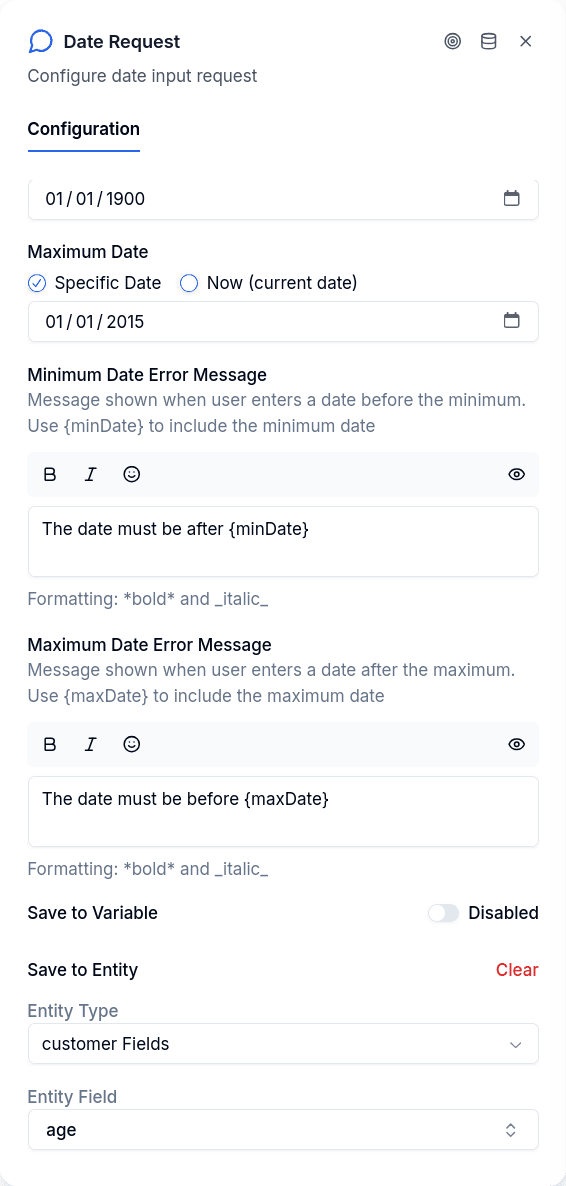
The variable is the only place the answer can go: Ask Date has no entity destination, so a node without a variable asks the question and throws the answer away. The publish check refuses to publish it, with the message "There is nowhere to store the answer. Choose a variable, a date cannot be stored on an entity".
The type declared in the variables panel is what the engine keeps. If the variable you pick is declared with another type and the value does not fit it, the value is still saved under the declared type and a warning notice names the variable and both types; see Variables.
Date Range Validation
For many use cases, you need to constrain which dates are valid. A birth date shouldn't be in the future. An appointment date shouldn't be in the past. A document expiration date should be after today.
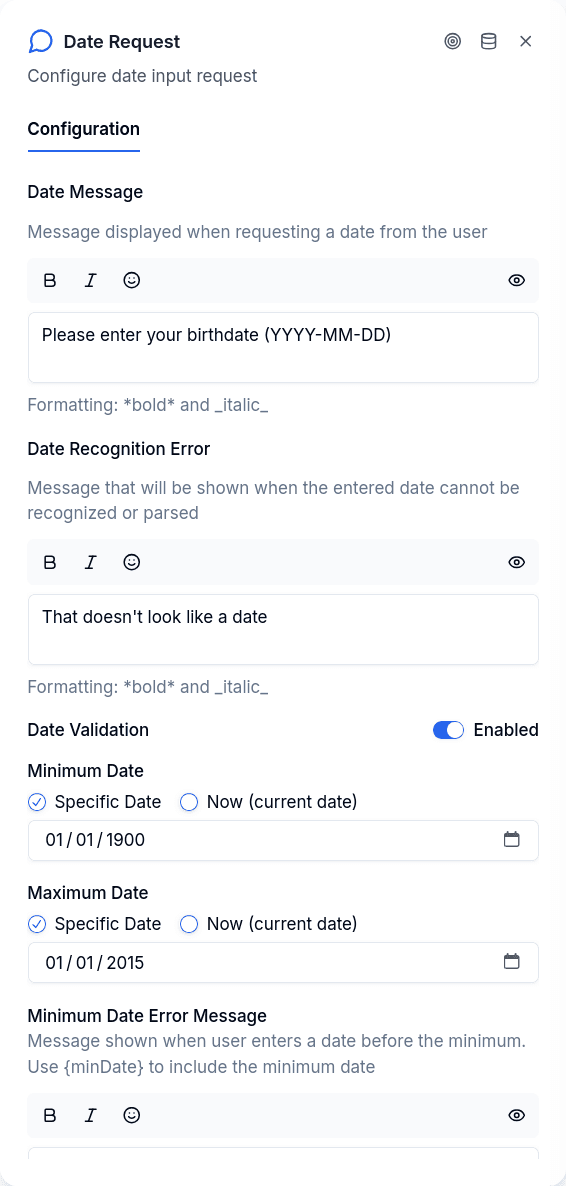
Enable range validation by turning on the min/max dates toggle. You can then set a minimum date, a maximum date, or both. For each boundary, you choose between a fixed specific date or "now" — which evaluates to today's date each time the node runs.
For collecting a birth date, you'd set the maximum to "now" (can't be born in the future) and perhaps the minimum to a specific date like 1900-01-01 as a reasonable lower bound. For scheduling an appointment, you'd set the minimum to "now" and the maximum to whatever your booking window allows. For a document's expedition date, both boundaries make sense: minimum as some reasonable historical cutoff, maximum as "now" since a document can't have been issued in the future.
Error Messages
Three different error scenarios can occur, each with its own configurable message.
When the customer's input doesn't match any recognized format or natural language word, the parse error message appears. The defaults are in Spanish, but you can customize them. Inputs like "next week," "september 27," or a two-digit year will trigger this error.
When range validation is enabled and the parsed date falls before the minimum, the minimum date error appears. When it falls after the maximum, the maximum date error appears. Both messages support placeholders — use {minDate} or {maxDate} in your message text and the actual boundary value will be substituted at runtime.
In all three cases, the node stays active and waits for the customer to try again. The conversation doesn't advance until they provide a valid date.
Prompting for Clarity
Since the parser accepts multiple formats, customers might enter dates that parse differently than they intended. The format DD/MM/YYYY is the first one tried, so "01/02/2024" parses as February 1st, not January 2nd. This matches Latin American and European conventions but might confuse customers expecting the American month-first format.
The safest approach is to specify the expected format in your prompt message. A message like "Enter your birth date in DD/MM/YYYY format (example: 15/03/1990)" removes ambiguity and reduces errors.
The prompt accepts {{variable_name}} placeholders. A variable that nothing has set when the node runs is not replaced — the customer sees {{variable_name}} as written and the node writes one warning notice listing the unresolved names.
Publish Gate
| Rule | Result |
|---|---|
| No variable selected | Blocks publishing |
| No prompt message | Blocks publishing |
Output Handles
| Handle | When it fires |
|---|---|
| Success | Valid date collected and stored |
| Error | System failure (API timeout, etc.) — distinct from validation errors, which loop back |