Conditional
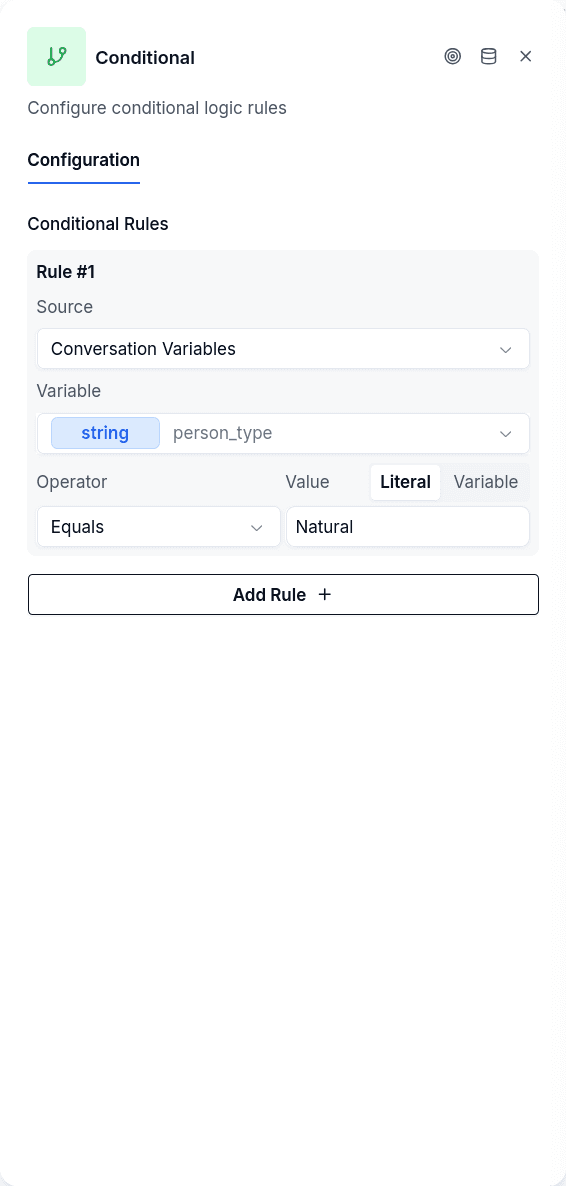
The Conditional node is the routing layer of your conversation flow. It evaluates rules against variables and data, then sends the conversation down one of two paths: TRUE or FALSE. Think of it as a traffic light that reads the current state of things and decides which way to go.
How It Works
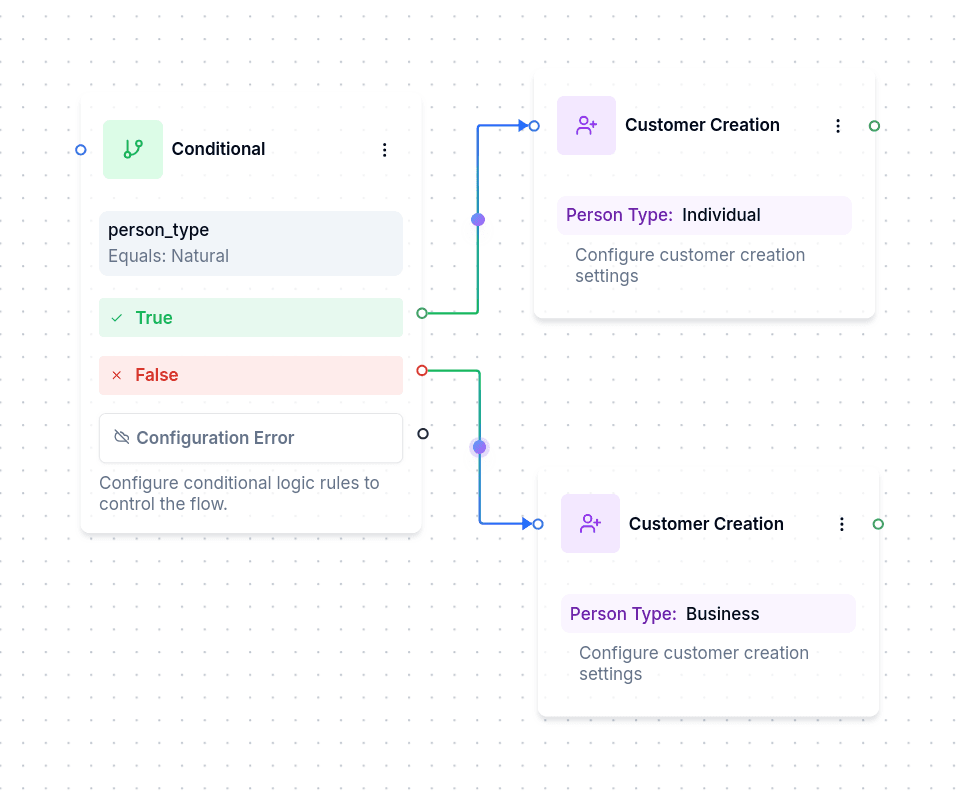
The key mental model: a Conditional is not an "if-else that stops on failure." It's a routing switch. Both the TRUE and FALSE branches typically continue the conversation — they just take different paths.
Both paths lead somewhere useful. The conditional determines which type of ID to request based on whether the customer is a natural person or a business entity.
What You Need Before Using It
Conditionals evaluate data that already exists. Before the node runs, you need something to compare — variables set by Ask Question or Set Variable nodes, responses from Workflow Execute or HTTP Request, or borrower data already stored in the system.
Data Sources
The node reads from three places:
Conversation variables are values stored during the current flow. When you ask a question and save the answer to person_type, you can check that variable here. For a variable of type object, the rule takes a path inside it; the explorer next to that field lets you paste a sample of the object and click the key instead of typing the path, the same as in Set Variable.
Borrower data reads from the authenticated customer's record — their custom fields, identity documents, or workflow step. Requires the customer to be logged in.
Conversation metadata checks special properties: whether the customer is authenticated, which channel they're on (WhatsApp vs web), or how long since their last message.
When to Use It
Routing by customer input. A customer selects "Natural" or "Juridical" from Interactive Options. The conditional checks which one and routes to the appropriate data collection path.
Checking authentication. Before showing sensitive information, verify the customer is logged in. If not, route them to Login or end the conversation.
Resuming multi-step processes. A customer returns after starting onboarding yesterday. Check their stored progress and route them to the right step.
Enforcing retry limits. Track how many attempts a customer has made. After the limit, show an error instead of letting them try again.
Operators
The available operators depend on what type of data you're comparing.
For strings: equals, not_equals, contains, starts_with, ends_with, is_empty, is_not_empty, plus length comparisons. Note that equals and not_equals are case-sensitive, but contains, starts_with, and ends_with are not.
For numbers: the standard comparisons — equals, greater_than, less_than, and their variants.
For booleans: is_true and is_false.
For dates: comparisons work on YYYY-MM-DD format.
For authentication: is_authenticated and is_not_authenticated check whether a borrower is logged in.
For channel: check whether the conversation is happening on web or whatsapp.
Combining Rules
You can add multiple rules to a single conditional. By default they combine with AND logic — all rules must pass for the result to be TRUE. Set the logical operator to OR if you want any single rule to suffice.
Comparing Two Variables
Sometimes you don't want to compare against a fixed value — you want to compare two variables. Enable "use variable for value" and reference the other variable's name. This is useful for things like checking if current_attempts is less than max_allowed_attempts.
Output Handles
| Handle | When it fires |
|---|---|
| TRUE | All rules passed (AND) or at least one passed (OR) |
| FALSE | At least one rule failed (AND) or all failed (OR) |
| Error | No rules configured, or evaluation threw an exception |
Things to Keep in Mind
Missing variables don't cause errors. If you reference a variable that doesn't exist, the system treats it as an empty string. This means an is_empty check will pass — which might not be what you intended.
Authentication checks presence, not validity. The is_authenticated operator only checks whether a borrower_id exists in the conversation. It doesn't validate whether that session is still active.