Formula
Formula is the low-code computation layer for conversation flows. It provides 60+ operations for transforming data, manipulating text, working with dates, validating input, and doing math — all without writing code. You compose expressions by chaining operations together, reference conversation variables with {{variable_name}} syntax, and store the result in a new variable. The node can also route based on that result, branching the flow according to the computed value.
For technical users comfortable with Python, Python Executor offers more flexibility. Formula serves the same purpose for everyone else: a way to compute, transform, and validate within a flow without leaving the visual builder.
What It Can Do
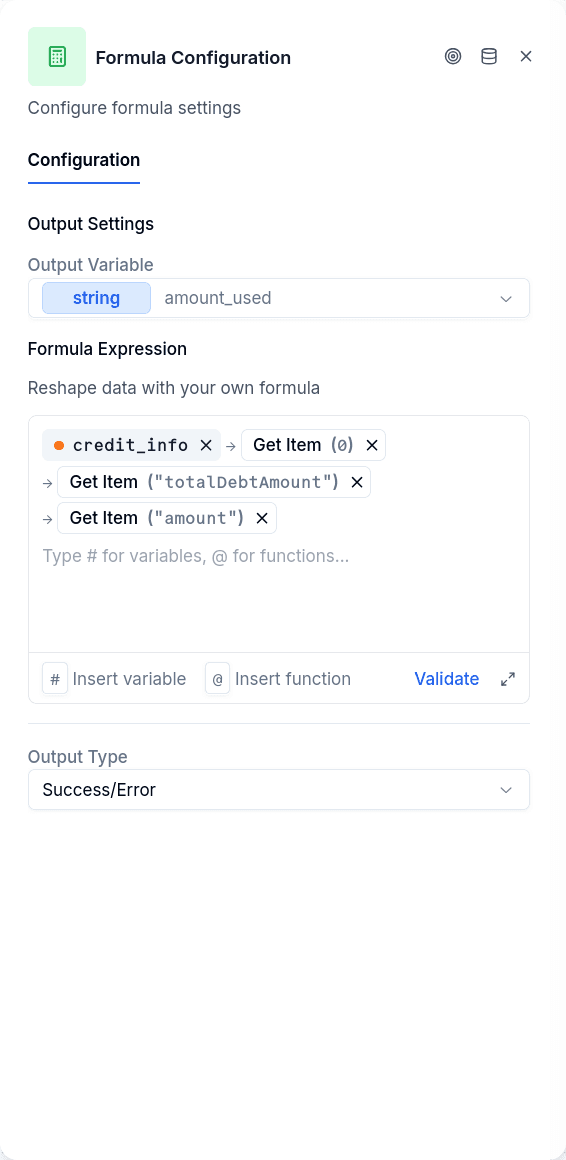
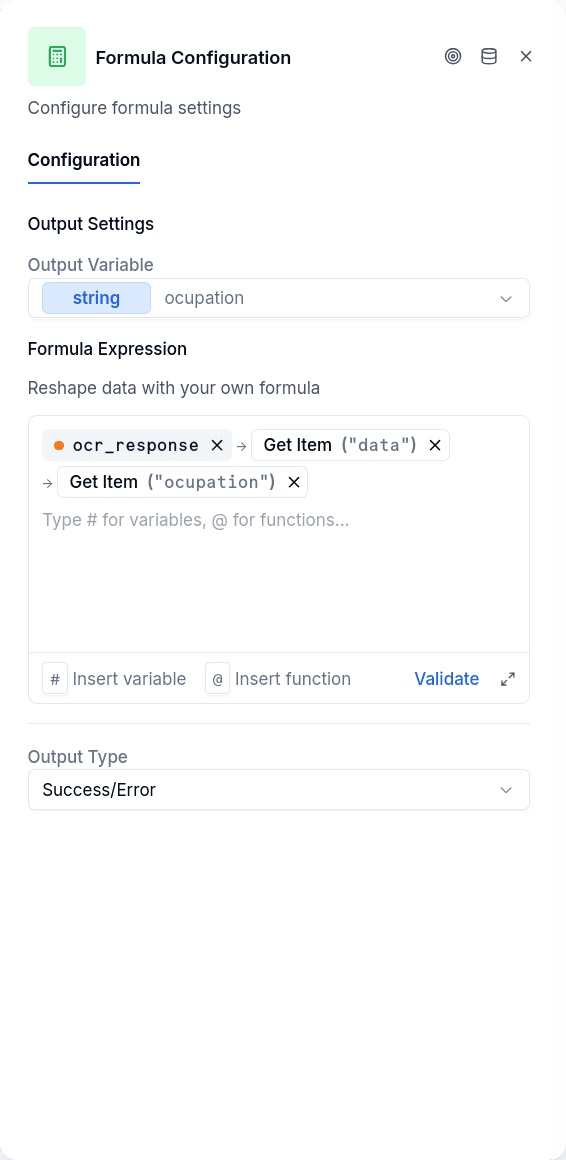
Pull values out of complex data. When a workflow or API returns a response with data nested several layers deep, Formula can reach in and grab the specific field you need. The customer's name buried inside response → data → firstName? Extract it into a simple variable your messages can use.
Work with text. Join a first name and last name into a full name. Change text to uppercase or lowercase. Remove extra spaces. Replace one word with another. Split a full address into separate parts, or combine separate parts into one.
Work with dates. Convert a date from one format to another — say, from "2024-03-15" to "15/03/2024". Calculate what date it will be 30 days from now. Find out how many days have passed between two dates. Pull out just the year, month, or day from a full date.
Do math. Add, subtract, multiply, divide. Round numbers to a specific number of decimal places. Calculate percentages. Compare two numbers and pick the larger or smaller one.
Check if input is valid. Does this look like a real email address? Is this phone number formatted correctly? Does this ID number match the expected pattern? These checks can drive what happens next — valid input continues forward, invalid input loops back for another try.
Make decisions. If a value meets a condition, return one thing; otherwise, return something else. If a field is empty, fall back to a default value. Combined with routing, this lets the flow take different paths based on computed results.
Configuration
| Option | Description |
|---|---|
formulaString | The expression to evaluate |
outputVariable | Variable name and data type to store the result |
outputType | How to route after execution: success-error, true-false, or custom |
You write an expression in the formula field, using {{variable_name}} to reference conversation variables. Operations can be nested: upper(concat({{first}}, " ", {{last}})) combines two names and makes the result uppercase.
The outputType determines routing. success-error routes to the success handle unless execution fails. true-false routes based on whether the result is truthy or falsy — useful for validation patterns. custom routes to handles you define, matching the formula's result exactly to a handle label.
Output Handles
| Handle | When |
|---|---|
| Success / True / Custom label | Formula executed and returned a result |
| Error / False | Execution failed, or result was falsy (for true-false mode) |
With outputType: custom, the formula's result must exactly match one of your handle labels — case-sensitive. If it doesn't match any, the flow routes to the default responder.
Things to Know
Missing data doesn't break anything. If a variable doesn't exist, most operations handle it gracefully rather than failing. Use coalesce({{optional_field}}, "default") when you want an explicit fallback value.
Text and numbers convert automatically. Adding "5" and "3" returns 8 — the system recognizes they're numbers even though they're written as text.
Expressions run in an isolated environment. Formula executes through an external service with a five-minute timeout — the same environment that powers Python Executor.