Guides
Step-by-Step Guide to Create User Credentials
This guide provides a step-by-step process for creating User Credentials to authenticate and use AltScore's development tools, such as the Python SDK.
-
On the AltScore web platform, click the profile icon located in the top-right corner.
If you don't have access to the platform yet, please contact support.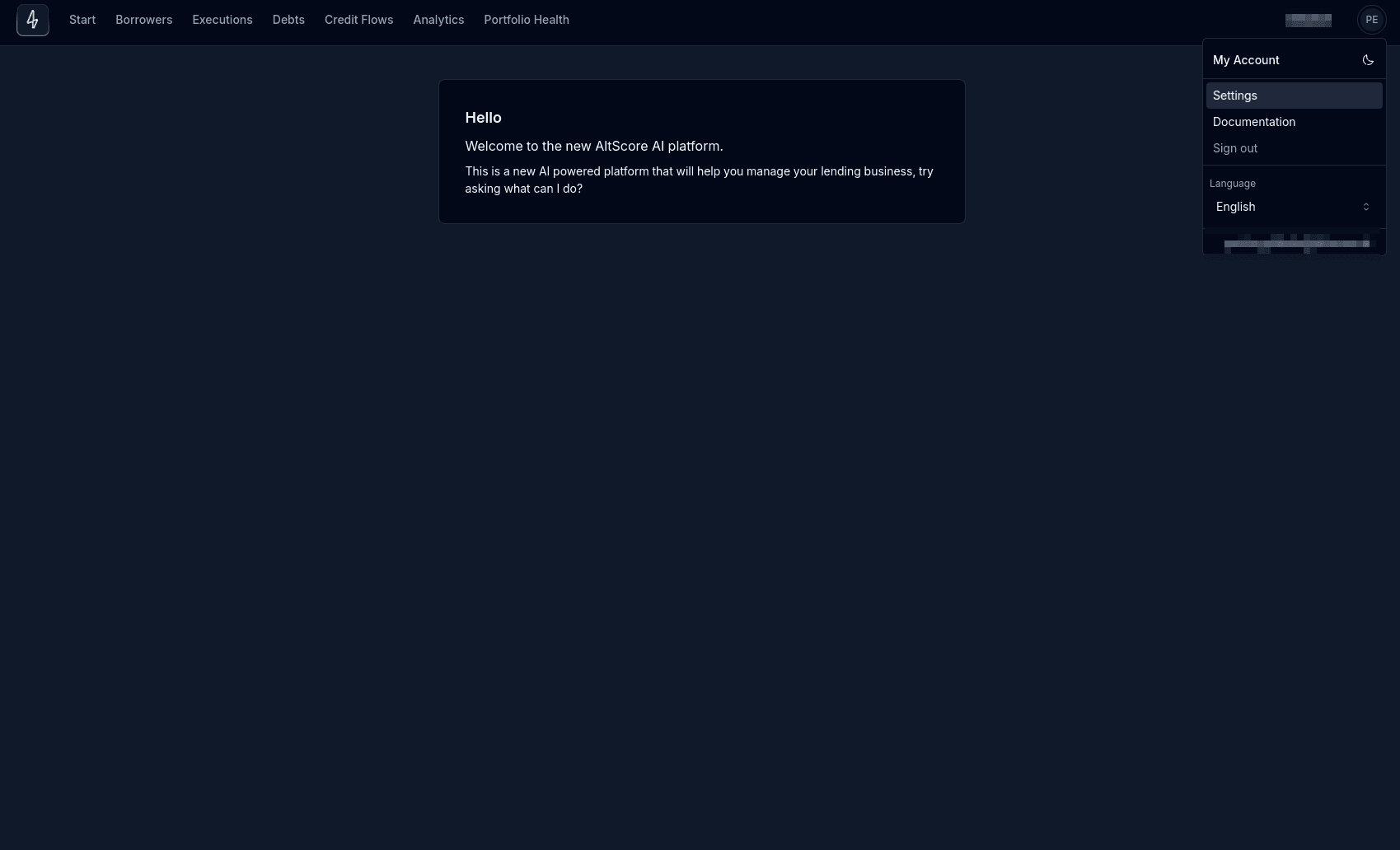
-
In the dropdown menu, select Settings.
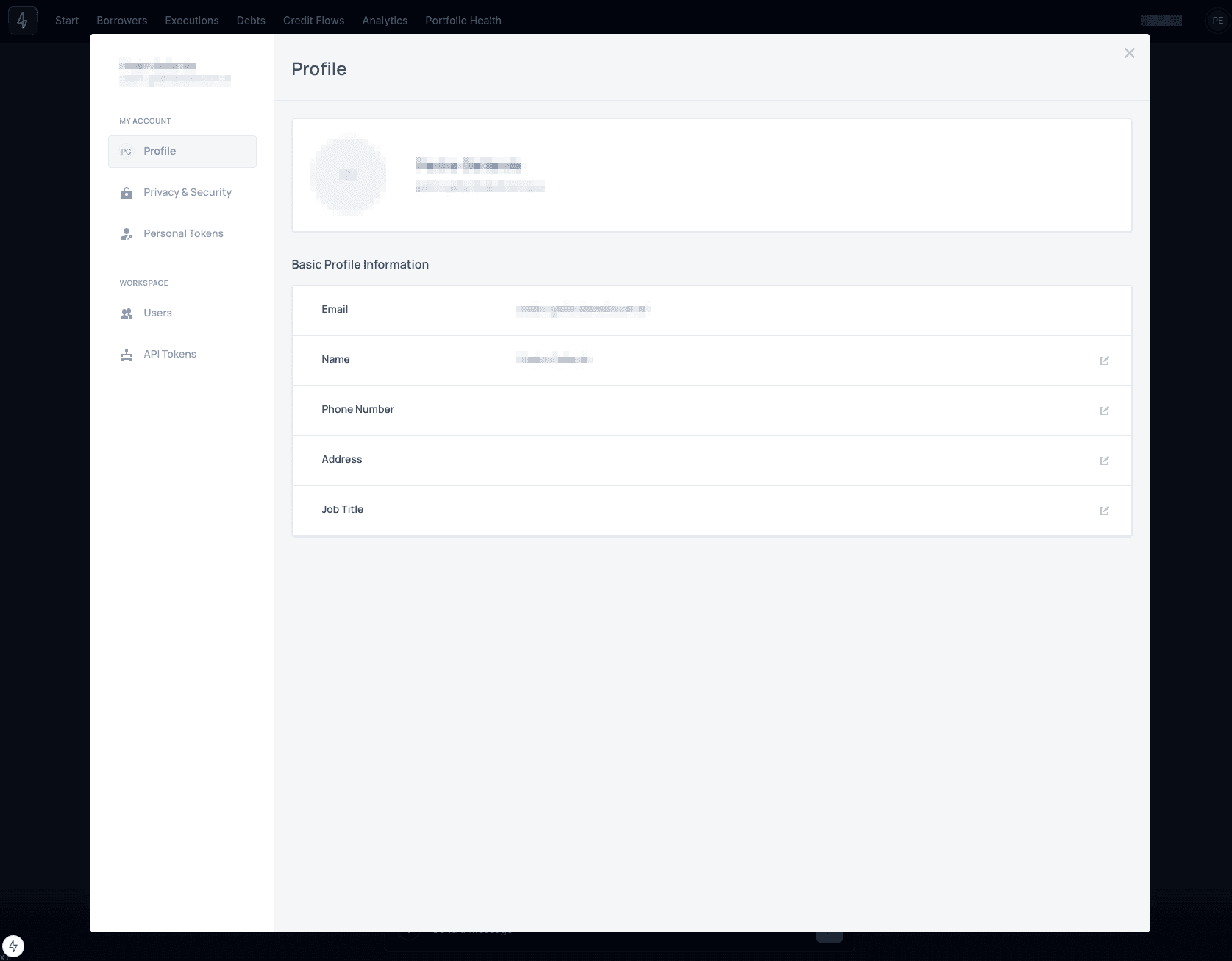
-
In the settings view, click on Personal Tokens.
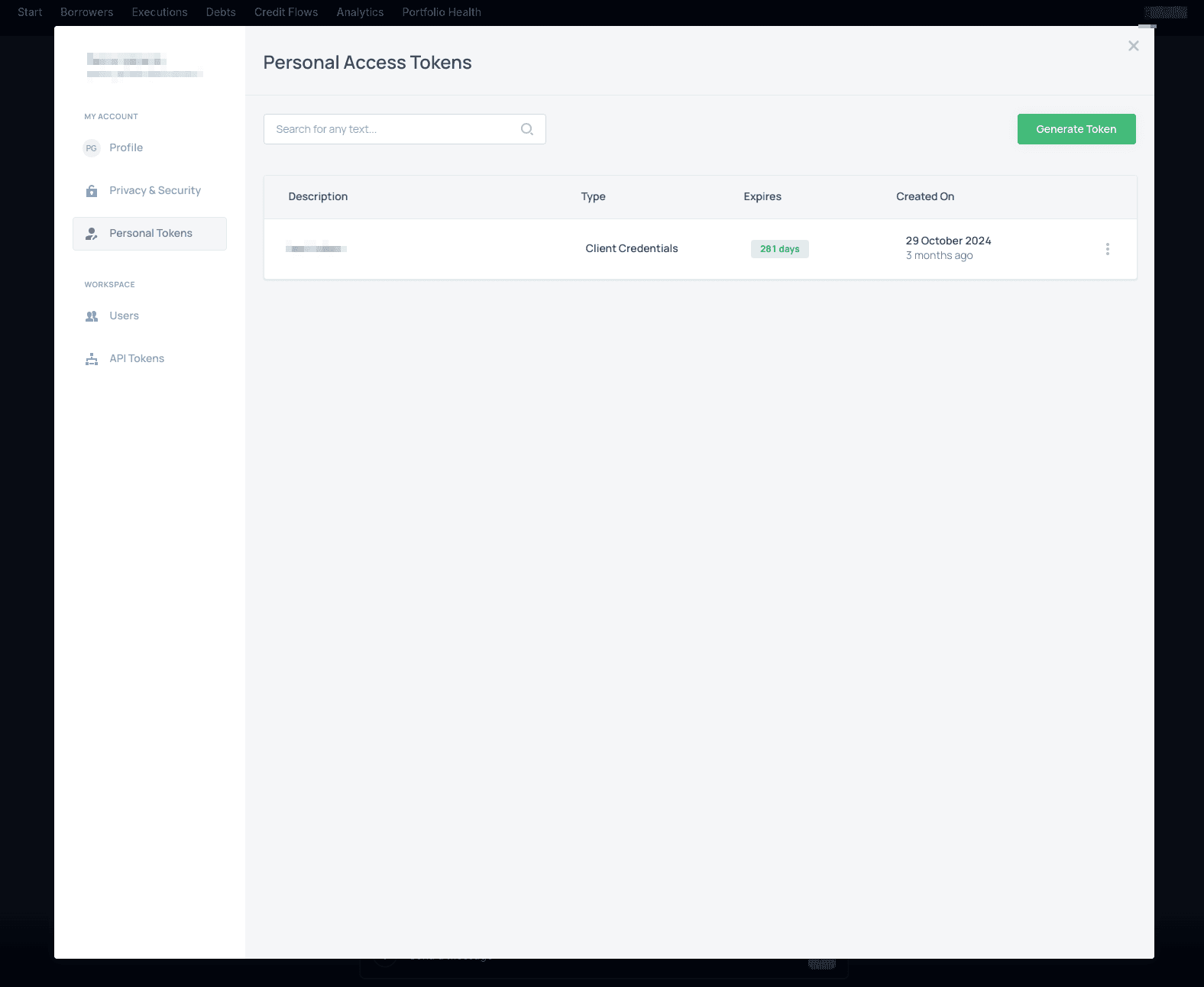
-
Click the Generate Token button.
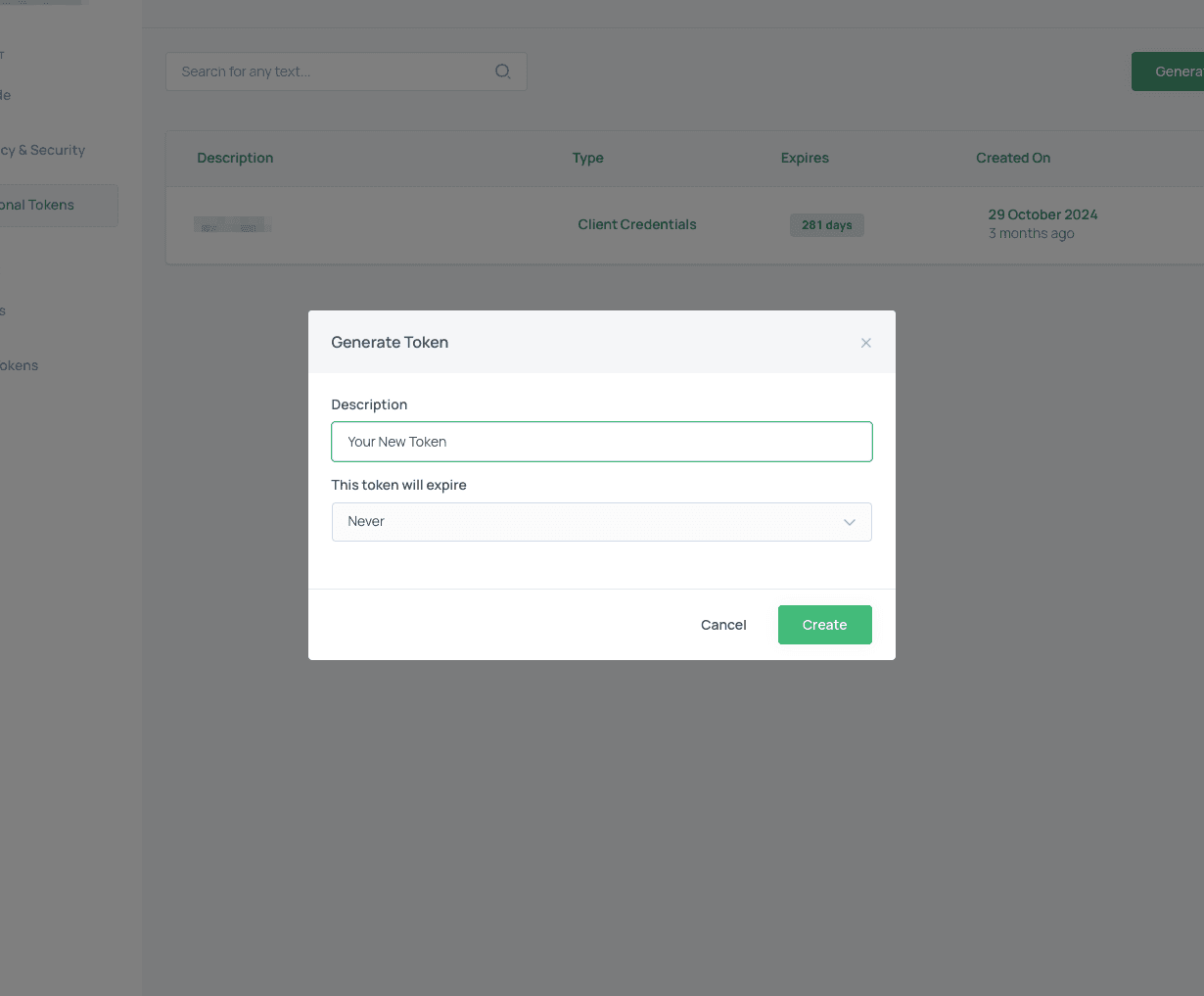
-
Choose a name for your new token and set its expiration time.
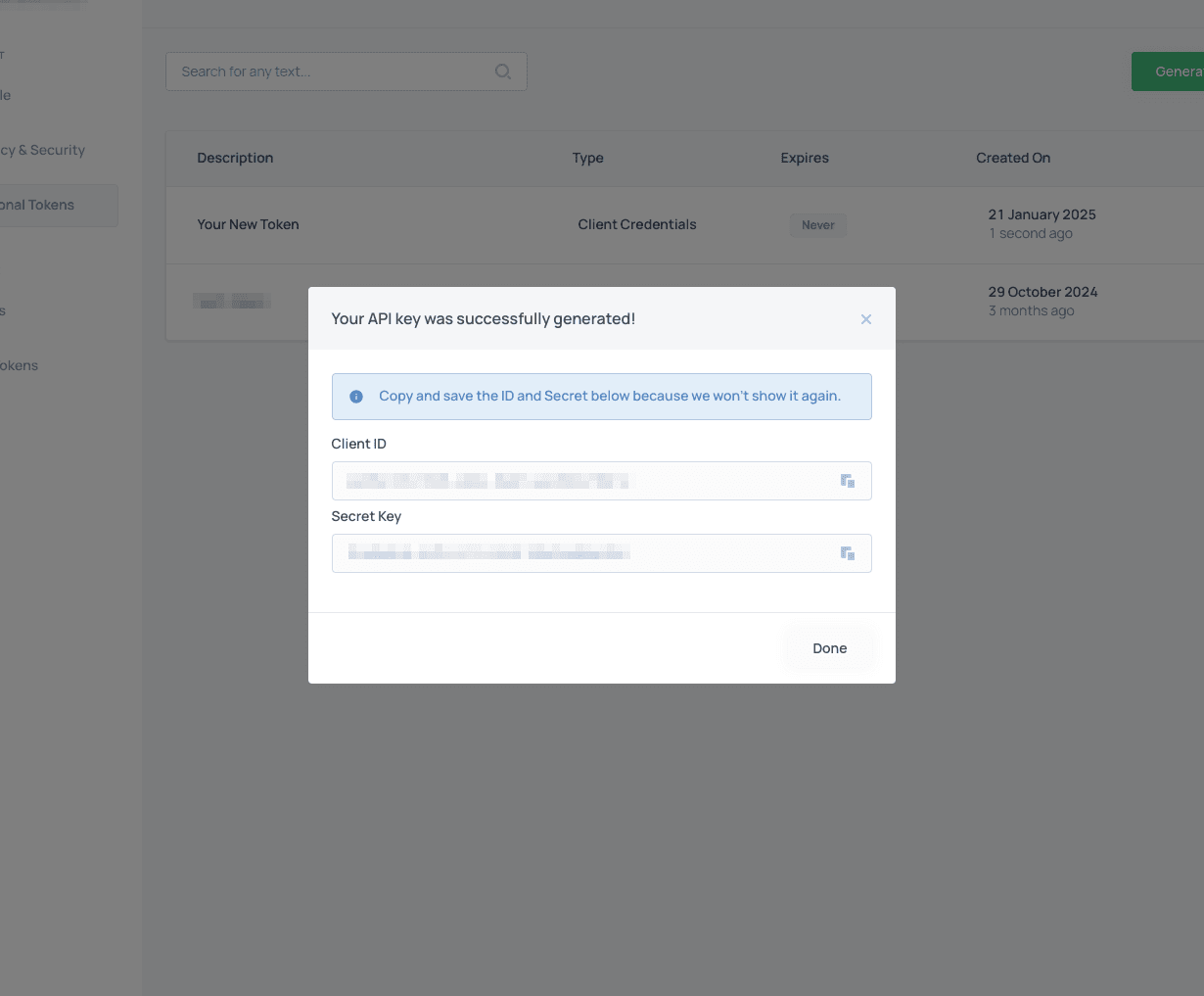
-
You now have a ClientID/SecretKey pair of operational keys to authenticate with AltScore tools. Remember to copy and store those keys as soon as they are displayed because you won’t be able to view them again later.